Get the air where it needs to go.
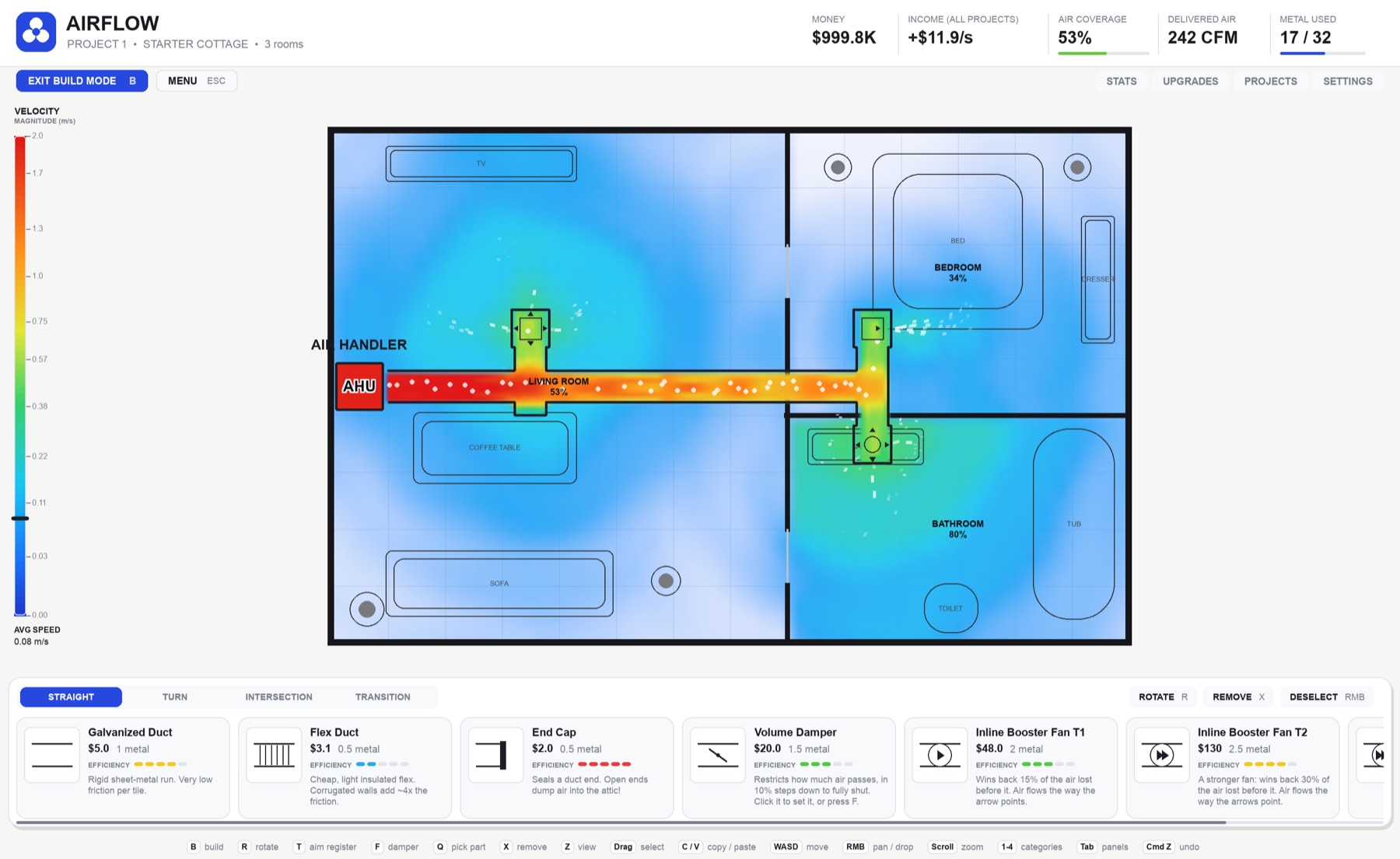
Run ducts from the air handler, split them into every room, and watch the air fill the house. The better your layout, the more each job pays.
Free. Your version is highlighted. New versions show up right on the game's home screen.
Airflow runs on Mac and Windows computers. Open this page on one to download it.
How it plays
Every house is an airflow puzzle.
You get a floor plan, an air handler and a metal budget. The air goes wherever your ducts send it, and every room you leave stuffy costs you money.
The parts
Cheap and leaky, or smooth and pricey.
Every part has its own airflow loss, shown as its efficiency rating. Newer parts unlock as you take on bigger jobs.
Inside the game
Real numbers behind every breeze.
Get started
Installed in a minute.
1. Install on Mac
- Open Airflow.dmg and drag Airflow into Applications.
- Open Airflow. If macOS says it “could not verify” the app, click Done.
- Go to System Settings → Privacy & Security, scroll down, and click Open Anyway next to Airflow.
- Enter your Mac password and click Open Anyway again. You only need to do this once.
1. Install on Windows
- Download Airflow-Windows.exe. It's the whole game, with nothing to install. Put it anywhere you like, such as your Desktop.
- Double-click it. If Windows says “Windows protected your PC”, click More info, then Run anyway. You only need to do this once per version.
- The first start takes a few seconds while it unpacks. Keep the game in a folder you can write to (like Desktop or Documents) so it can update itself.
Updates and your save
Airflow checks for new versions a few seconds after it opens and every few hours. When one is out, the home screen tells you. On Mac, Download Update fetches it, a banner confirms the download, and the new version starts the next time you restart Airflow. Updates are signed, and Airflow refuses any that aren't. Windows works the same way: the new version is downloaded, checked and swapped in when you restart. Your progress stays on your computer and carries over between versions.
2. Build your first system
- Pick Galvanized Duct from the bar at the bottom and drag from the AHU into a room.
- Press 4 for transitions and put a Register Boot on the end of the run. Press T to aim it.
- Use T-Branches to reach the other rooms, and cap any open end.
Controls
- B build · R rotate · T aim · F damper · Q pick part · X remove
- Z view · drag to select · C / V copy and paste · ⌘Z / Ctrl Z undo
- WASD move · right-drag to pan · scroll to zoom · 1–4 categories · Tab panels
What's new
Recent updates
First release: build duct systems across four houses, with live airflow, room coverage and upgrades.